Summary:
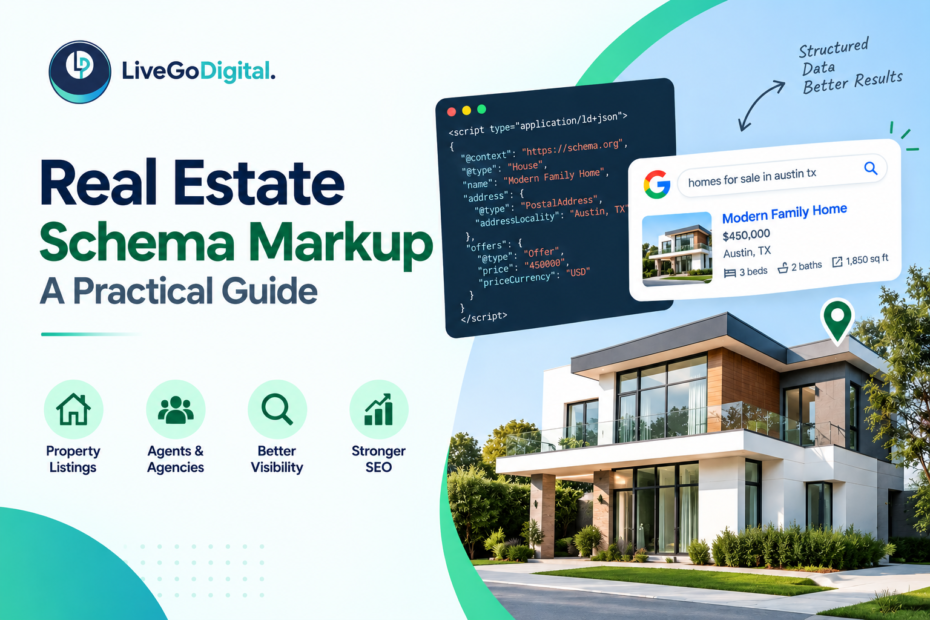
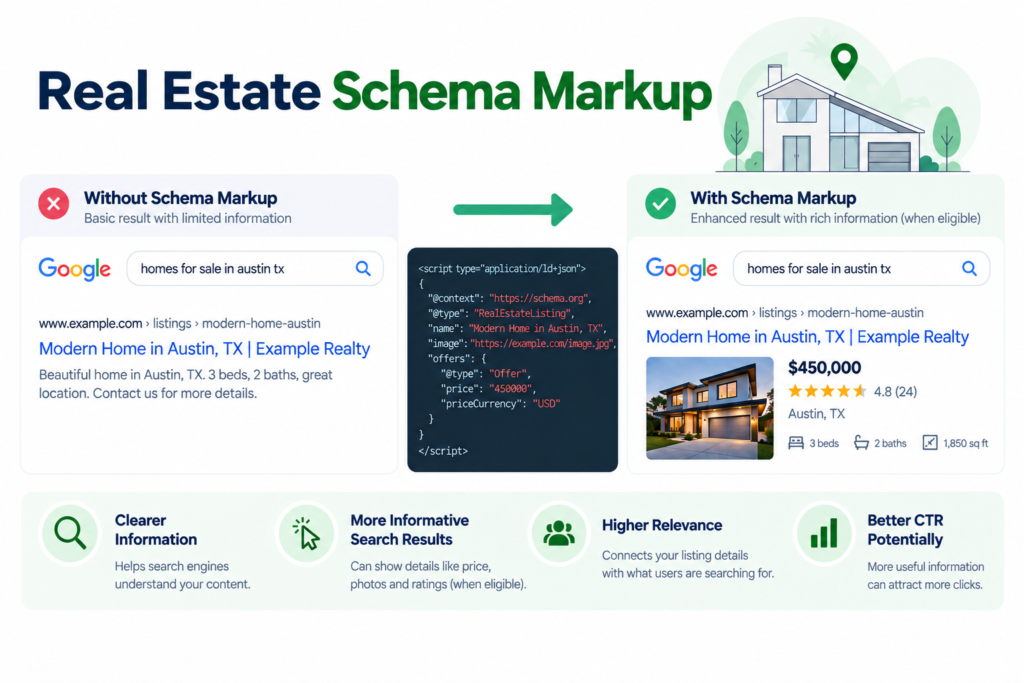
Two listings can rank in the same spot on Google, but one shows the price, photo, and rating right in the search result, while the other shows plain blue text. That difference usually comes down to schema markup. It is a small piece of code that tells Google exactly what your page is about, and it often decides who gets the click
Real estate schema markup is code added to your website that labels your content for search engines. It does not change how your page looks to visitors. It changes how Google reads your page behind the scenes. Done right, it can turn a normal listing into a rich result with price, photos, and star ratings shown directly in the search results. This guide breaks down which schema types matter for real estate, how to add them, and how to check that they actually work.
Why Schema Markup Matters for Real Estate Sites
Google reads website text. But it does not always know what that text means. A page might say “$450,000, 3 beds, 2 baths.” Without schema markup, Google just sees words and numbers. It cannot tell that “$450,000” is a price and not some random number on the page.
Schema markup fixes this. It labels each piece of information. It tells Google that “$450,000” is a price. It tells Google that “3” is the number of bedrooms. It also tells Google that the photo next to it belongs to that exact listing.
This matters a lot. Well-labeled pages are more likely to show up as rich results. A rich result is a search listing with extra details. Think of a photo, a price, or a star rating shown right on the search page. Rich results get more attention. They also get more clicks than plain text listings in the same spot.
What Schema Markup Actually Does
Schema markup uses a shared set of labels called schema.org. Google, Bing, and other search engines all know this system. Google describes structured data as a standardized format for providing information about a page and classifying its content. Most sites add it using a format called JSON-LD. This is a small block of code placed on the page. It sits apart from the text visitors actually see.
You do not need to be a developer to get the basic idea. Think of schema markup as labels on a filing cabinet. The papers inside do not change. But now everything is labeled clearly. Anyone, including Google, can find exactly what they need.
The Main Schema Types Real Estate Sites Need
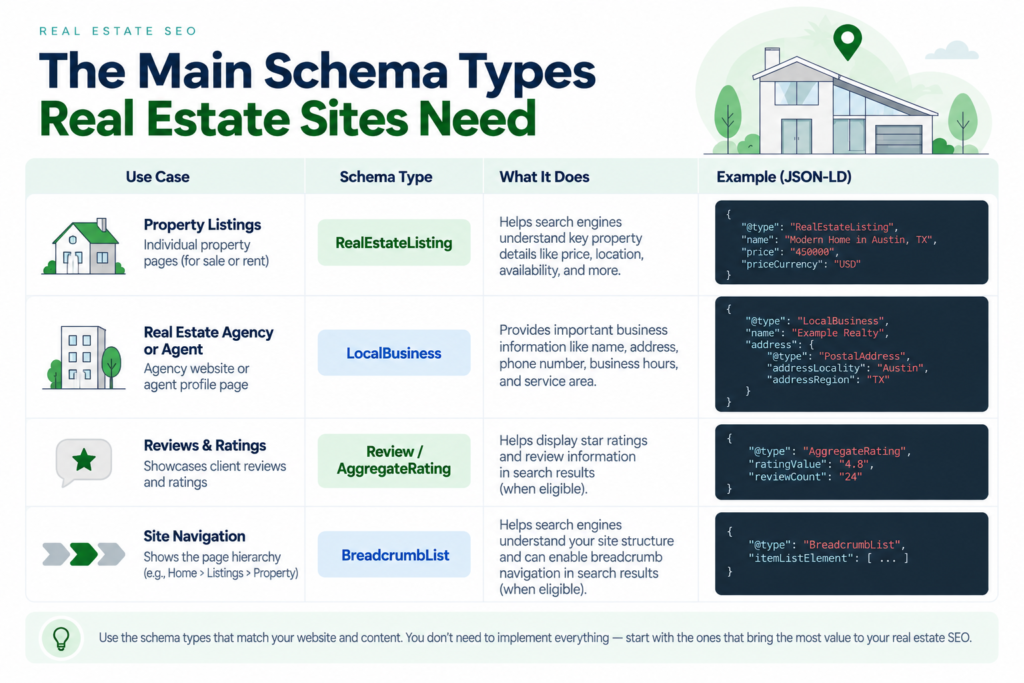
Not every schema type applies to real estate. Here are the ones that matter most.
Real Estate Listing Schema
This schema type is built for property listings. Schema.org defines RealEstateListing as a listing that describes one or more real-estate offers, such as properties available for sale or lease. It can label the price, address, square footage, bedrooms, bathrooms, and listing status. Add this to your listing pages. It gives Google clear details it can use to build a rich result.
Local Business and Real Estate Agent Schema
This schema type applies to your agency or agent page, not to individual listings. It labels your business name, address, phone number, service area, and hours. This connects your website to your Google Business Profile. It also supports your local SEO strategy at the same time.
Review and Aggregate Rating Schema
This schema type labels customer reviews and star ratings. When added correctly, it can show star ratings directly in search results next to your business name. This builds trust before a visitor even clicks your site.
Breadcrumb List Schema
This schema type labels the path a visitor takes through your site, like Home, Listings, Austin TX, Downtown Condos. It helps Google understand your site structure and can show a clean breadcrumb trail in search results instead of a long web address.
How to Add Schema Markup to Your Site
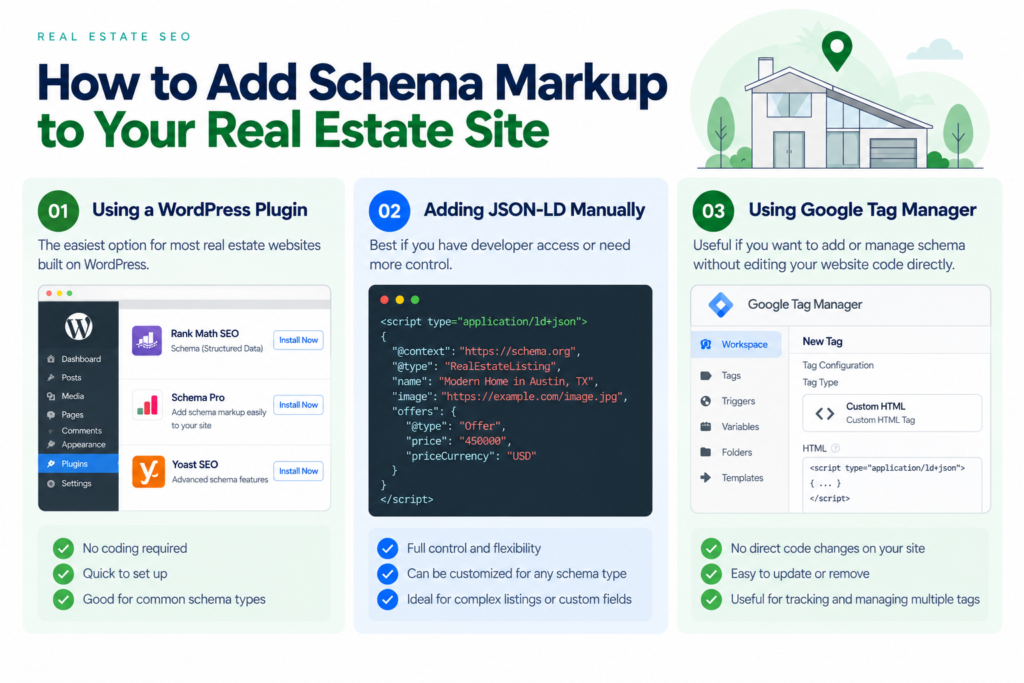
There are a few ways to do this, depending on your site setup and comfort level with code.
Use a Plugin if You Run WordPress
Many real estate sites run on WordPress with an IDX or MLS plugin. Plugins like Schema Pro or Rank Math can add basic schema for you. Some IDX plugins now include listing schema by default. Check your current plugin settings before adding a new tool. Duplicate schema can cause errors.
Add JSON-LD Code for More Control
For listing pages that need exact details, many teams add a small script directly into the page code. This gives full control over what gets labeled and how. A developer can usually set up one template that pulls listing data on its own. This means no one has to do it by hand for every property.
Use Google Tag Manager as a Middle Option
If you cannot edit the site code directly, Google Tag Manager can help. It lets you add schema markup through a tag, without touching the core website files. This works well for teams without constant developer access.
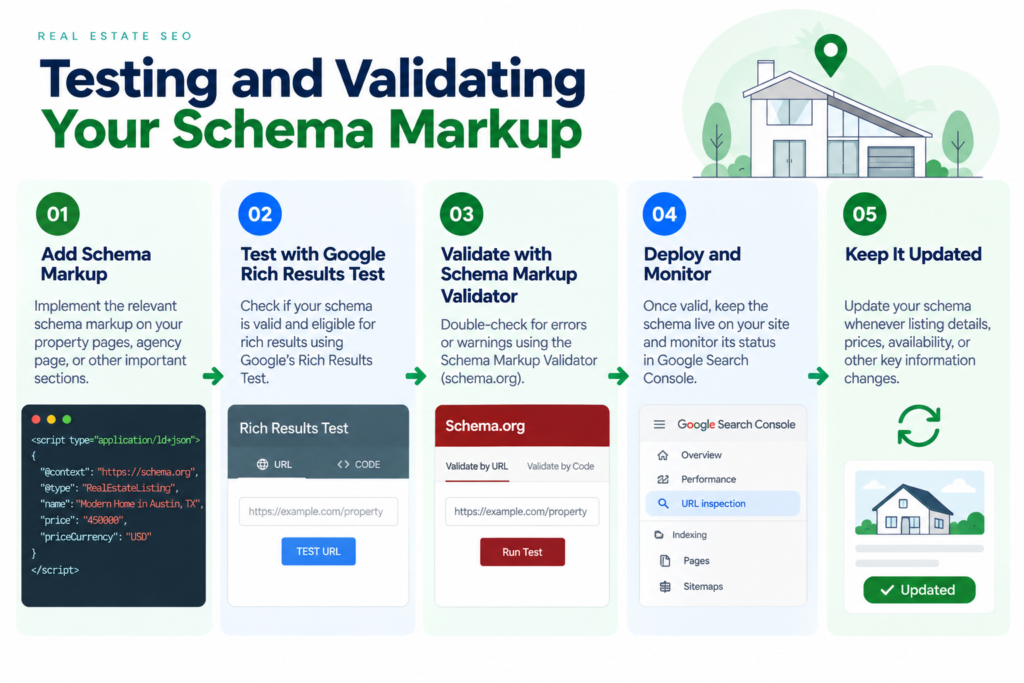
Testing and Validating Your Schema
Adding schema markup is only half the job. It needs to be checked. A small error can stop it from working at all.
Use Google’s Rich Results Test
This free tool checks whether your structured data makes the page eligible for supported rich results. It also flags any errors in your schema code. Run every listing template through this at least once. Recheck it after any major site update.
Use the Schema Markup Validator
This tool checks your code against the full schema.org standard. It catches errors that the Rich Results Test might miss. Use it as a second check, especially for Local Business and Review schema.
Note: Adding structured data does not guarantee that Google will display a rich result. Structured data can make a page eligible for supported search features, but Google decides whether and how those features appear.
Watch Search Console for Warnings
Google Search Console has a section for schema errors found across your site. Check this once a month. This catches problems early, often before they hurt your rankings.
Building This Into Your Real Estate SEO Strategy
Schema markup works best when it supports the rest of your SEO plan, not as a standalone task. If you’re planning which locations, property types, and topics to prioritize, our guide to SEO forecasting for real estate explains how to identify search-demand signals before deciding what to target.
Match Schema to Your Target Keywords
If your real estate SEO strategy targets “condos for sale in downtown Austin,” make sure your RealEstateListing schema on those pages includes accurate location and property type details. This keeps your on-page content and your structured data aligned.
Pair Schema With Your Google Business Profile
Your Local Business schema should match the details on your Google Business Profile exactly, including your business name, address, and phone number. If you’re optimizing your local presence as a real estate agent, see our guide to Google Business Profile for Real Estate Agents for more practical tips on improving your profile.
This consistency supports both your organic rankings and your local map pack visibility.
Prioritize High-Traffic Pages First
You do not need to add schema everywhere at once. Start with your highest-traffic listing pages and your main agent or agency page, then expand from there.
A Real Example
Take a small brokerage in Denver with about 40 active listings on its site. None of the listing pages had schema markup, and none showed rich results in search, even for well-ranked pages.
The team added RealEstateListing schema across all listing pages using a template pulled from their IDX plugin data, and added Review schema to their main agency page using their existing Google reviews. Within a few weeks, several listing pages began showing price and photo previews directly in search results. Their agency page began showing a star rating next to its listing in search.
Click-through rates on those pages rose noticeably, even though their search rankings barely changed. The pages did not rank higher. They simply became more clickable, since the search result now showed more useful detail up front.
Common Mistakes to Avoid
Adding schema that does not match the visible page content. Google can penalize pages where the schema claims something the page itself does not show.
Using the wrong schema type. Labeling a listing page with generic Product schema instead of RealEstateListing schema can confuse search engines and weaken results.
Letting plugins create duplicate schema. Running two plugins that both add schema markup can create conflicting code, which often causes both sets to fail validation.
Forgetting to update schema for sold or removed listings. An outdated listing schema that still shows as available can hurt user trust and search performance.
Skipping validation after site updates. A theme or plugin update can break schema code without changing how the page looks to visitors, so it can go unnoticed for months.
How to Get Started
You do not need to overhaul your whole site to start. Follow these steps.
- Check your top 10 listing pages using Google’s Rich Results Test to see what schema, if any, already exists.
- Add RealEstateListing schema to any listing template missing it, starting with your highest-traffic pages.
- Add LocalBusiness schema to your main agent or agency page, matching your Google Business Profile exactly.
- Add Review schema to display your star rating in search results.
- Set a monthly reminder to check Search Console for new schema errors.
Schema markup will not replace strong content or a solid real estate SEO strategy, but it makes both work harder. It is one of the few SEO fixes that can improve click-through rates without needing a single new backlink or blog post.
Key Takeaways
- Schema markup labels your page content so search engines understand it clearly, which can lead to rich results like price, photos, and star ratings in search.
- The main schema types for real estate are RealEstateListing, LocalBusiness or RealEstateAgent, Review or AggregateRating, and BreadcrumbList.
- You can add schema through a WordPress plugin, manual JSON-LD code, or Google Tag Manager, depending on your access and technical comfort.
- Always test schema using Google’s Rich Results Test and the Schema Markup Validator, and recheck after site updates.
- Schema should match your real estate SEO strategy and your Google Business Profile details exactly, not sit as a separate technical task.
- Schema markup mainly improves click-through rate, not ranking position, but a higher click-through rate on the same ranking still means more real traffic and leads.