Google Business Profile for real estate agents can help local buyers and sellers discover an agent when they search for services in their area. When they search “real estate agent near me” or “top realtor in [city],” the Google Map Pack can appear prominently in the results. Optimizing your profile gives agents another way to build local visibility alongside their website and other SEO efforts.
Google Business Profile optimization means setting up your free Google listing so it ranks in the local map pack. It works alongside organic SEO, but it moves much faster. A well-run profile can bring in calls within weeks, not months. Getting search volume and forecasts for local real estate terms tells you demand exists. Your Google Business Profile is often what turns that demand into a real phone call. This guide covers how the map pack works, what to fix first, and the mistakes that keep agents stuck on page two.
Why Google Business Profile Matters for Real Estate Agents
Most home buyers do not scroll far. When someone searches “realtor in Austin TX,” Google shows a map with three listings on top. This is the local map pack. It gets a large share of all clicks for that search.
Ranking in the normal search results below a big brokerage or Zillow is hard for one agent. The map pack is a different game. It depends less on Domain Authority. It depends more on how complete, active, and trusted your profile looks to Google.
This makes Google Business Profile one of the best channels in real estate SEO strategy. It does not need months of content work. It needs a proper setup, steady reviews, and regular activity.
What Google Ranks Your Profile On
Google looks at three main signals: relevance, distance, and prominence.
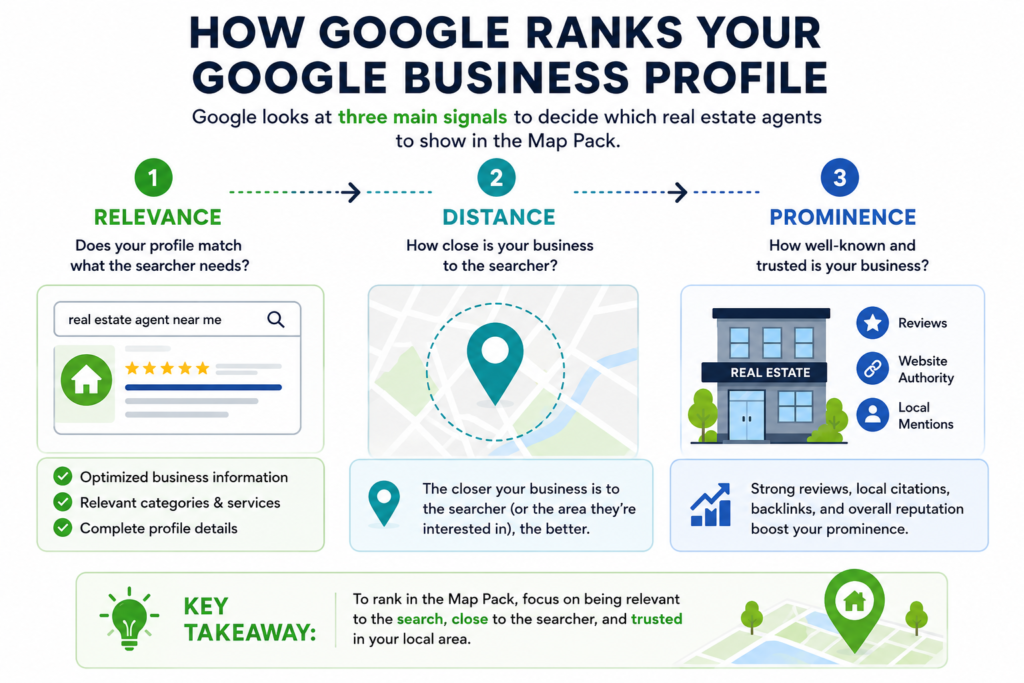
Relevance
This means how well your profile matches the search. If someone searches “condo specialist in Miami,” a profile with the right category and condo-related posts will match better than a plain, generic listing.
Distance
This means how close your address or service area is to the person searching. Agents cannot change this much. But setting your service area correctly helps Google understand where you actually work.
Prominence
This means how well known and trusted your business looks. This comes from your review count, your review score, and how much people engage with your profile.
Setting Up Your Profile the Right Way
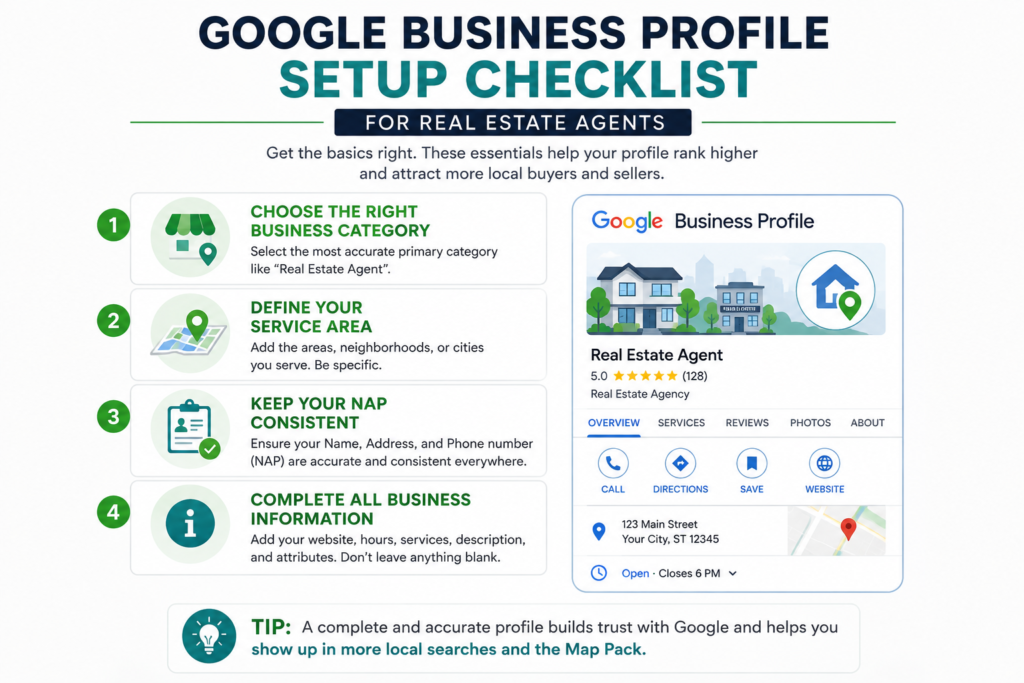
Getting the basics right matters more than any advanced trick. Check these first.
1. Choose the Right Category
Real estate has a few similar categories: Real Estate Agent, Real Estate Agency, and Property Management Company. Pick the one that fits you. A solo agent should usually pick Real Estate Agent. A team or brokerage often fits better under Real Estate Agency. The wrong category can quietly block you from showing up in the searches you want.
2. Set Your Service Area Correctly
Most agents do not work from a public office, so Google lets you set a service area instead of a public address. List every city or zip code you actually serve. Listing too many far-off areas can hurt your ranking in the places that matter most.
3. Keep Your NAP the Same Everywhere
NAP means name, address, and phone number. This needs to match exactly across your website, your Google profile, Zillow, Realtor.com, and any local directories. Even a small difference, like “St” instead of “Street,” can confuse Google. This weakens your local rankings.
Review Acquisition and Management
Reviews are an important part of local visibility and can also influence whether a potential client chooses your business. They also affect whether a lead picks up the phone.
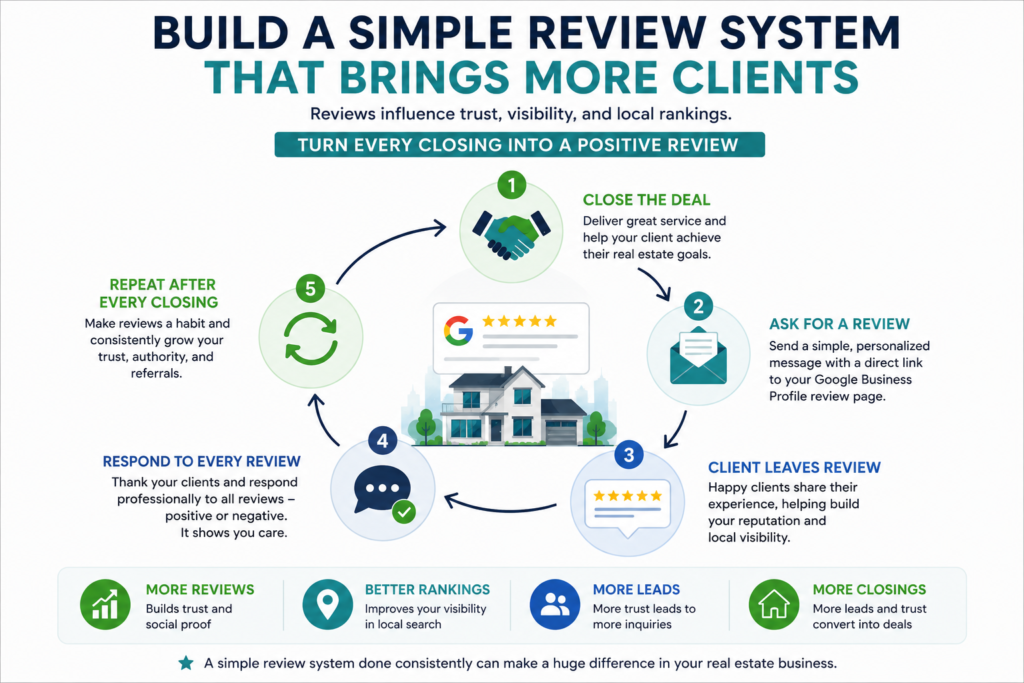
1. Build a Simple Review Habit
The best time to ask for a review is right after closing, while it is still fresh. A short text or email with a direct link works better than a request buried in a newsletter.
2. Respond to Every Review
Respond to reviews naturally and professionally. Thank clients for their feedback, address concerns where appropriate, and use the response to reinforce the quality of your service.
3. Build a Consistent Review Process
The best time to ask for a review is after a successful transaction, while the experience is still fresh. A simple text or email with a direct review link can make the process easier for clients.
The goal should be to build a consistent review process rather than relying on occasional campaigns. A growing collection of genuine customer feedback can strengthen social proof and give future buyers and sellers more confidence in choosing your business.
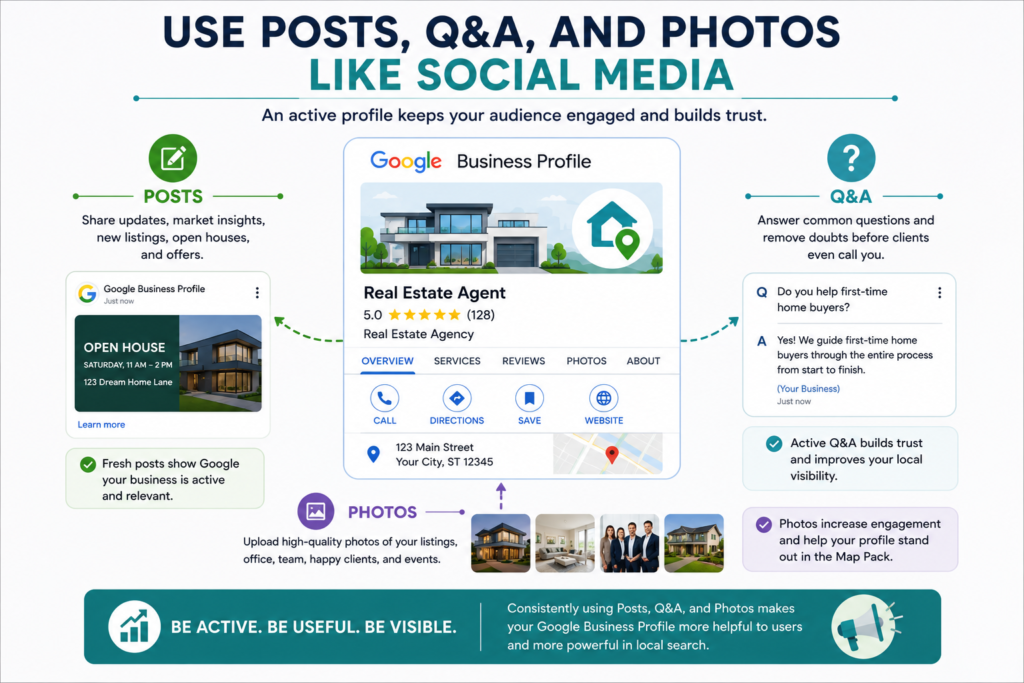
Use Posts, Q&A, and Photos Like Social Media
Many agents set up their profile once and never touch it again. This is a missed chance, since keeping your business profile updated gives potential clients more current information and more opportunities to interact with your business.
– Post Weekly Updates
Google Business Profile lets you post short updates, much like social media. Share new listings, recent sales, or local market notes. This keeps your profile active and gives Google fresh content tied to your business.
– Answer Your Own Q&A Section
The Q&A section on your profile is public. Anyone can post a question there. Add common buyer and seller questions yourself, then answer them. This lets you use local keywords in a natural way, while it also helps real visitors.
– Add Real Photos Often
Listings with more photos get more clicks. Add real photos from closings, from the neighborhoods you serve, and from your office. Do not rely only on stock images.
Building a Local SEO Strategy Around Your Profile
A strong profile works best when it connects to the rest of your SEO plan, not as a separate project.
Match Your Website to Your Profile
Your website should show the same service areas, categories, and business details as your Google Business Profile. Mismatched details confuse both Google and potential clients.
Support Your Profile With Local Content
Neighborhood guides, school district pages, and local market updates on your website give Google more reasons to link your business to a specific area. Before creating this content, it helps to understand which local searches are likely to generate demand and when that demand may increase. Our guide to SEO forecasting for real estate explains how to use search trends, seasonal patterns, competitor visibility, and historical site data to plan your content ahead of demand. This supports your map pack ranking over time. This supports your map pack ranking over time.
Track Calls, Not Just Clicks
The map pack often drives phone calls directly. Use call tracking to see how many leads come from your Google Business Profile. This helps you prove real ROI, not just website traffic.
A Real Example
Take a solo agent working in the Charlotte, NC suburbs. Her Google Business Profile was set up years ago under the wrong category. It was listed as “Real Estate Agency” instead of “Real Estate Agent,” and no one had touched it in years. She had 12 reviews in total.
She fixed the category. She narrowed her service area to the suburbs she actually worked in. She started a simple review request text after each closing. Her review count grew to 40 within four months. She also started posting weekly listing updates.
In that same period, she began to rank in the map pack for “realtor in Matthews NC,” a term she had never shown up for before. She started getting direct calls from her profile every week.
This shows what makes Google Business Profile different from most real estate SEO strategy work. The fixes were simple, not creative. The results showed up in months, not a full year.
Common Mistakes to Avoid
Choosing the wrong category. This alone can keep a strong profile out of the searches it should rank for.
Listing too big a service area. Claiming to serve a whole metro area, when you only work in a few suburbs, can weaken your ranking everywhere.
Asking for reviews once and stopping. One request is not enough. Review requests need to be a habit, not a one-time task.
Letting your NAP details drift. A phone number change on your website that never gets updated on Zillow or your Google profile creates confusion. This hurts your rankings.
Treating the profile as a one-time setup. Profiles that go quiet for months lose ground to ones with steady posts and photos.
How to Get Started
You do not need an agency to fix most of this. Follow these steps.
- Check that your category is set to Real Estate Agent or Real Estate Agency, whichever fits your business.
- Update your service area to match where you actually close deals.
- Check your NAP across your website, Zillow, Realtor.com, and any directories you appear on.
- Set up a simple review request text or email to send after every closing.
- Post one update and add new photos at least once a week.
Google Business Profile will not replace a full real estate SEO strategy. But it is often the fastest channel for real leads. Paired with the forecasting and competitor research already covered in this guide, it gives agents a full picture. You know what to target, who you compete against, and where the calls will come from.
Key Takeaways
- Google Business Profile ranks on relevance, distance, and prominence, not Domain Authority. This makes it open to solo agents and small brokerages.
- Getting the setup right matters most. Use the correct category, an accurate service area, and a matching NAP across every platform.
- Reviews are a core ranking signal. Steady new reviews work better than one big request campaign.
- Weekly posts, an active Q&A section, and real photos keep a profile visible and active in Google’s eyes.
- The map pack drives phone calls directly. Call tracking is the clearest way to prove ROI from this channel.
- This is one of the fastest wins in real estate SEO strategy. Many agents see results in weeks, not months.